Blue Team Labs Online - Just a Viewer

I think someone has full control over my computer. It all started after I installed a new program to view PDFs. Can you make sense of them?"
Incident Response
Tags: EvtxECmd TimelineExplorer T1059 T1134 T1055 T1547
Scenario In the shadowed streets of Neo Brighton, far from the safety of your headquarters and stripped of your usual tech arsenal, an old friend, 'Bob,' emerges with a plea for help. His face, usually an open book, is etched with worry as he hands you a drive containing only the Windows Event Logs.
"Something's wrong, but all I have are these," he whispers, glancing over his shoulder as if afraid of being overheard. "I think someone has full control over my computer. It all started after I installed a new program to view PDFs. Can you make sense of them?"
With only these logs as your guide, will you step into this new adventure and unravel the threads of what happened, just as you did in the old days?
Environment Awareness
Evidence Discovery & Preparation
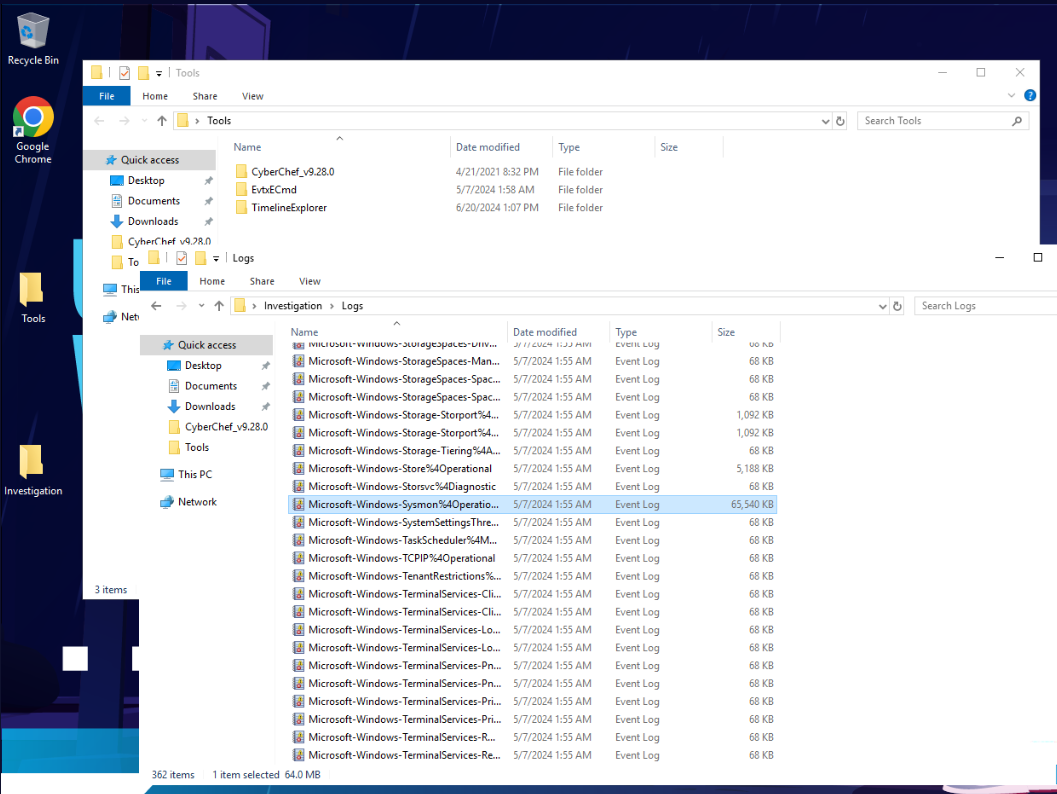
After taking a look at what this machine provides then we have 2 choices here, First is to use EvtxCmd to parse event log files to csv then use Timeline Explorer to open it or we can go with the old school way by just open them in built-in Windows event viewer.
Lucky for that we also got sysmon log so it does not have to go though so much logs but just PowerShell log, sysmon log and application log (To answer Q1) should be enough but sometimes we might want to use security log in some case too.
I like first option more since Timeline explorer allowed extensive grouping and filtering so I'll parse all logs I mentioned so I won't have to come back when I need them.
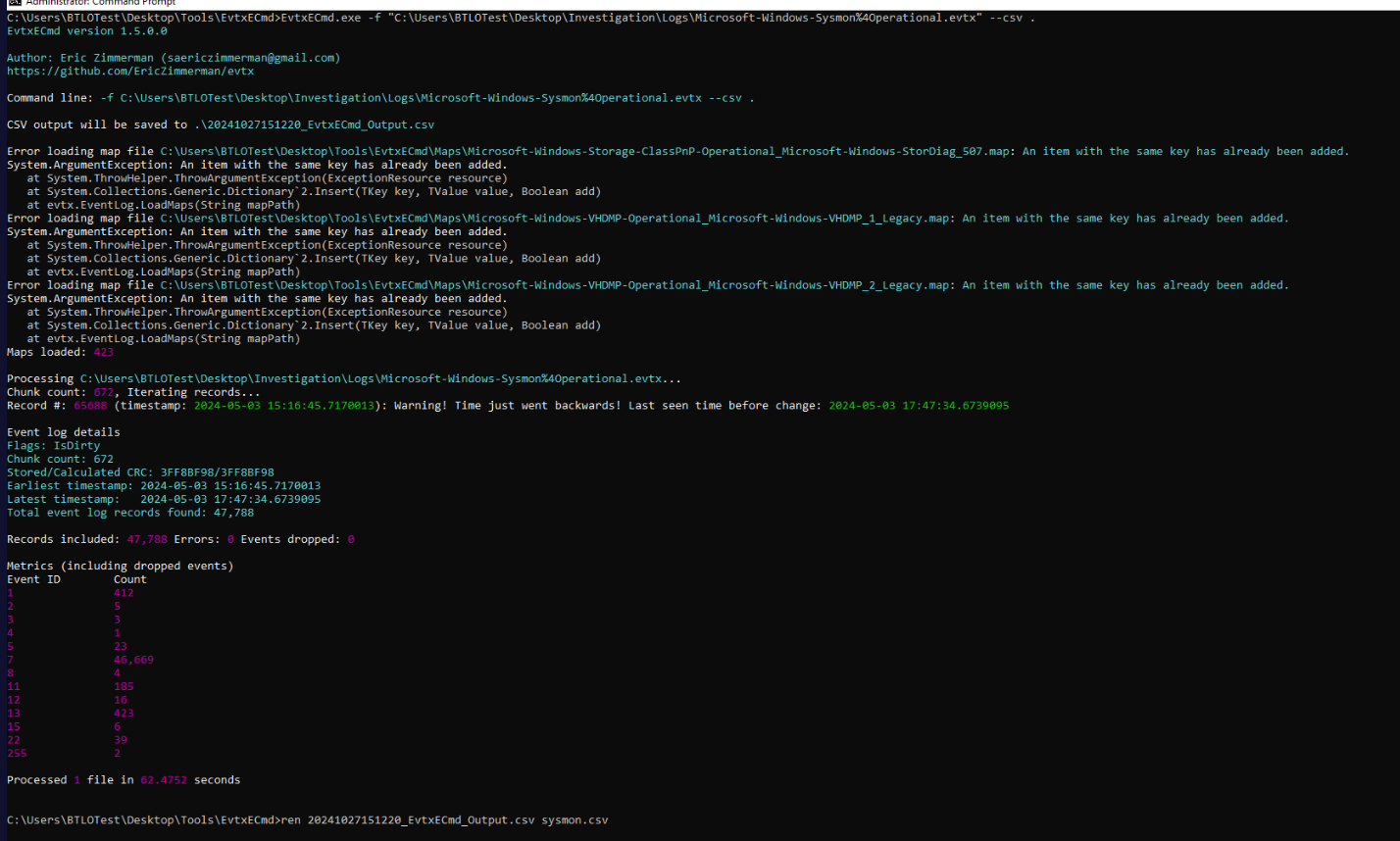
Lets parse event log with EVTXCmd then we could see that sysmon log has 47,788 events in total and we can see that EventID 7 (Image loaded) took around 90% of this log so we might want to filter them one when dive into this log and focus on Event ID 1 (Process created) and Event ID 3 (Network connection detected).
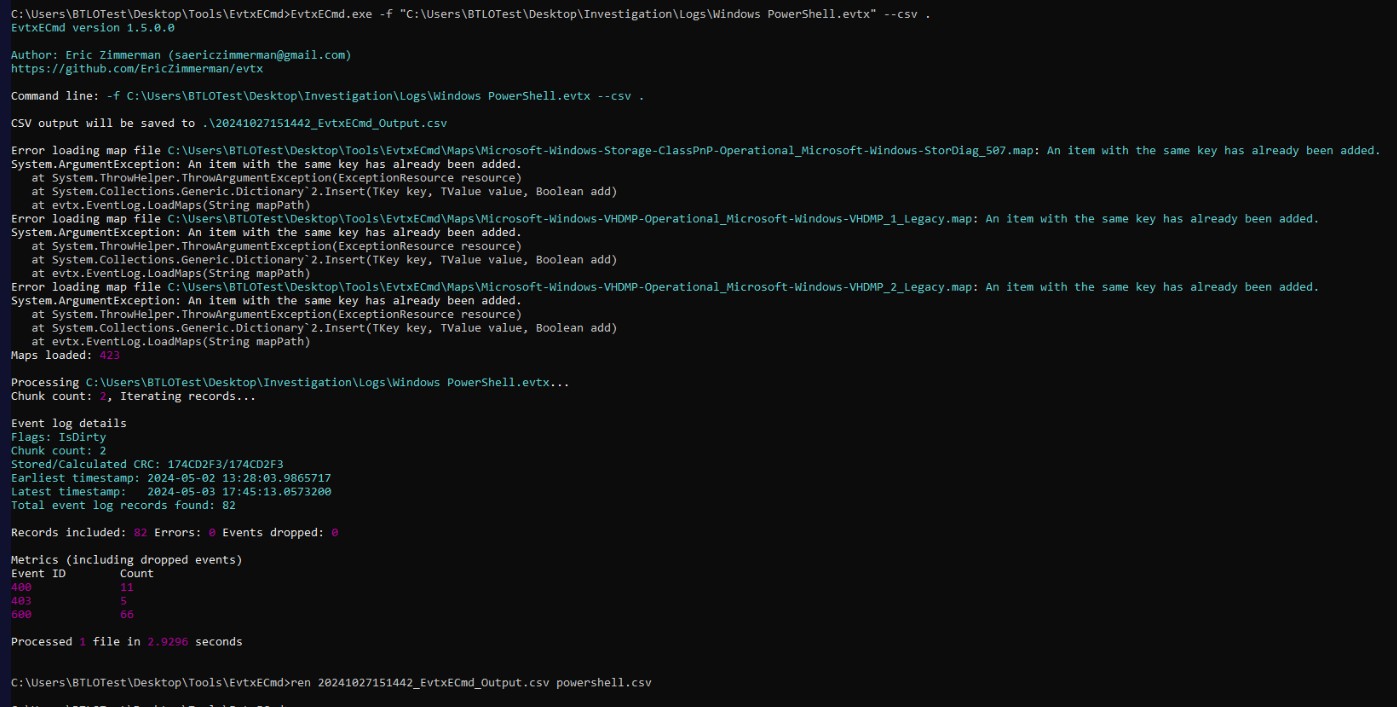
Next, I parsed Windows Powershell log then we can see that there are not much of logs from this file.
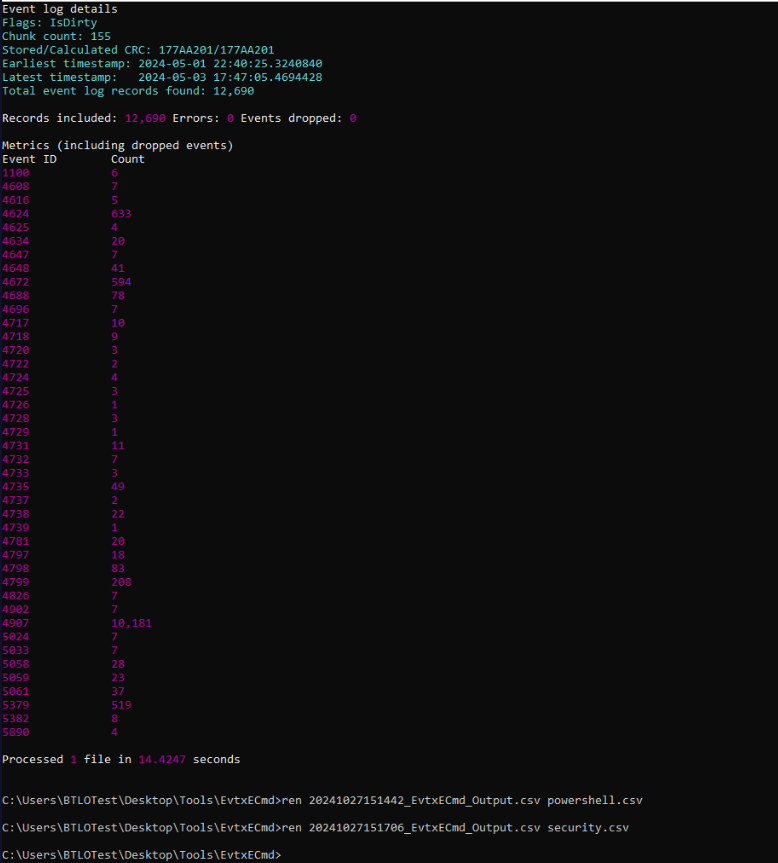
Time for security log.
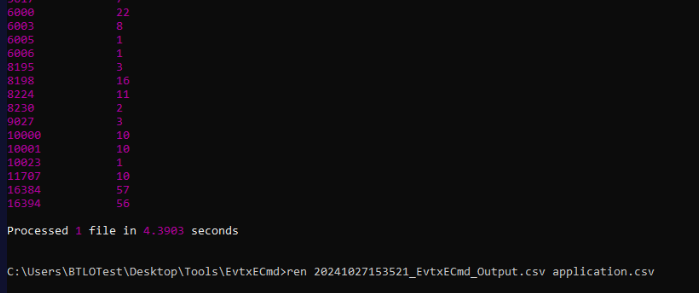
And lastly the application log, we only look for Event ID 11707 (installation operation completed successfully) since we just want to know the installation date of a PDF Reader application.
Investigation
Q1) A PDF Reader Program was installed in the system. Can you determine the date when it was installed, as well as the name of the program? (Format: MM/DD/YYYY, Program name)
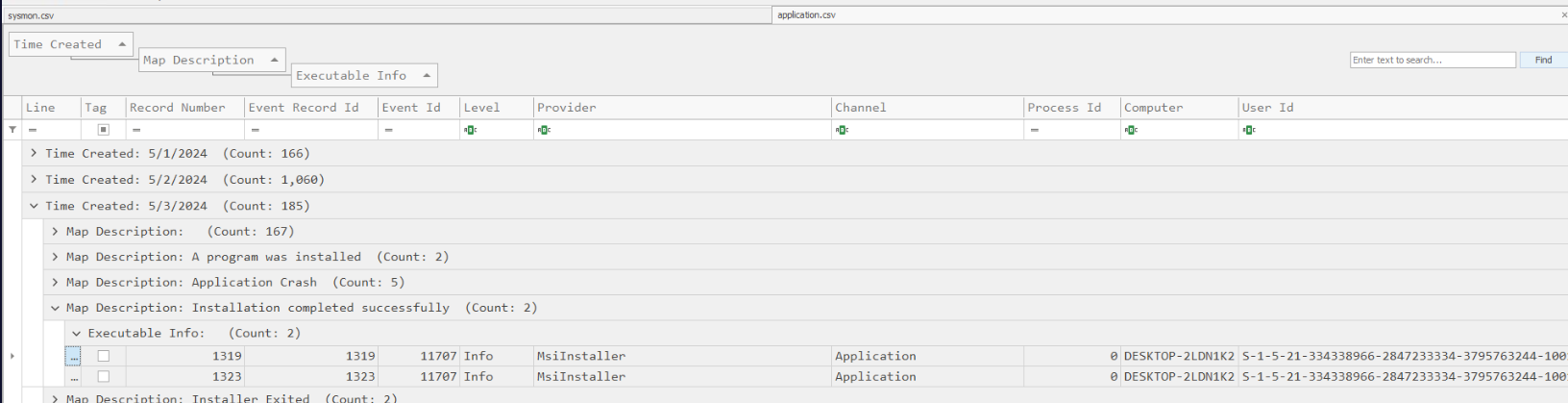
Open application log (csv) in Timeline explorer then we should have this map description (description of Event ID) grouped by default and I took an interest with the latest events of this (in 05/03/2024) which we can see that there are 2 software installed on this day.
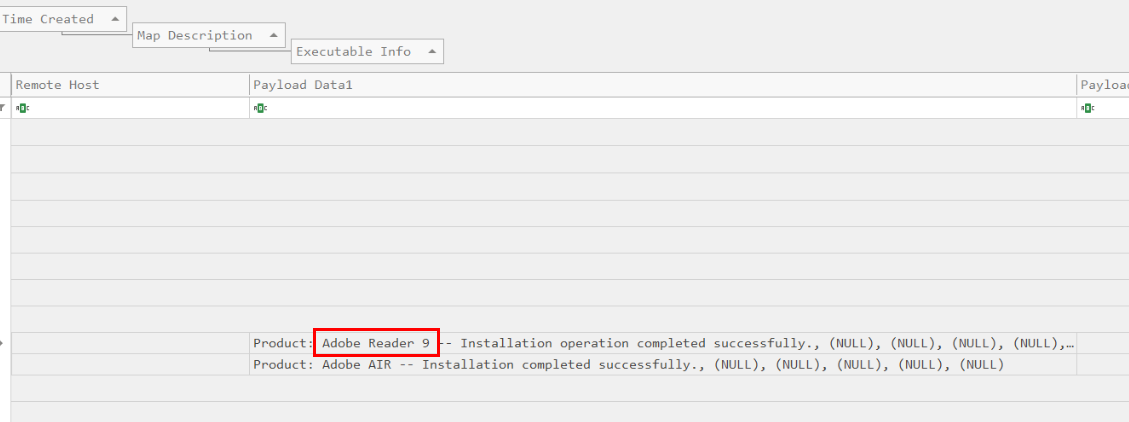
And that is the application we are looking for, it was installed on 05/03/2024.
Answer
05/03/2024, Adobe ReaderQ2) The attacker used DLL hijacking to establish a reverse shell; the attacker then migrated to another process. Can you identify the name of the target program to which the attacker migrated and provide the SourceProcessGuid associated with this process? (Format: Program name, SourceProcessGuid)
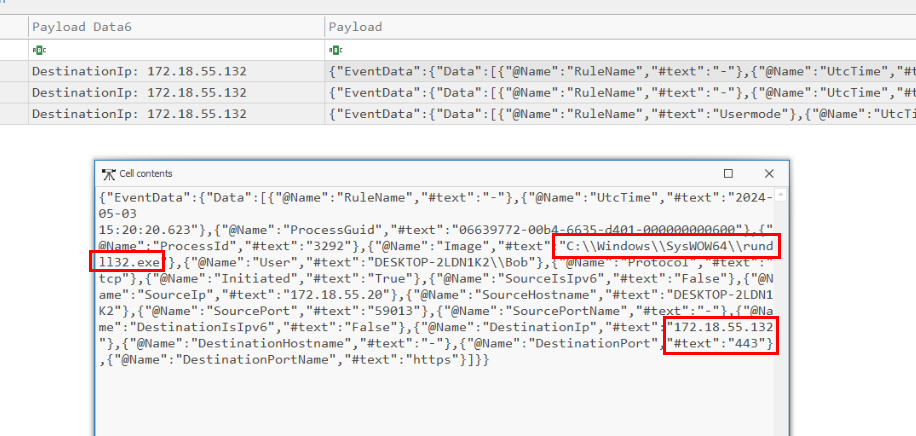
Since its reverse shell that we can use to filter for Event ID 3 which we will have 3 events in total and then we could see that at 15:20:20.623, a process responsible for this connection is rundll32.exe which confirmed that dll hijacking triggered a reverse shell to this IP address on port 443.
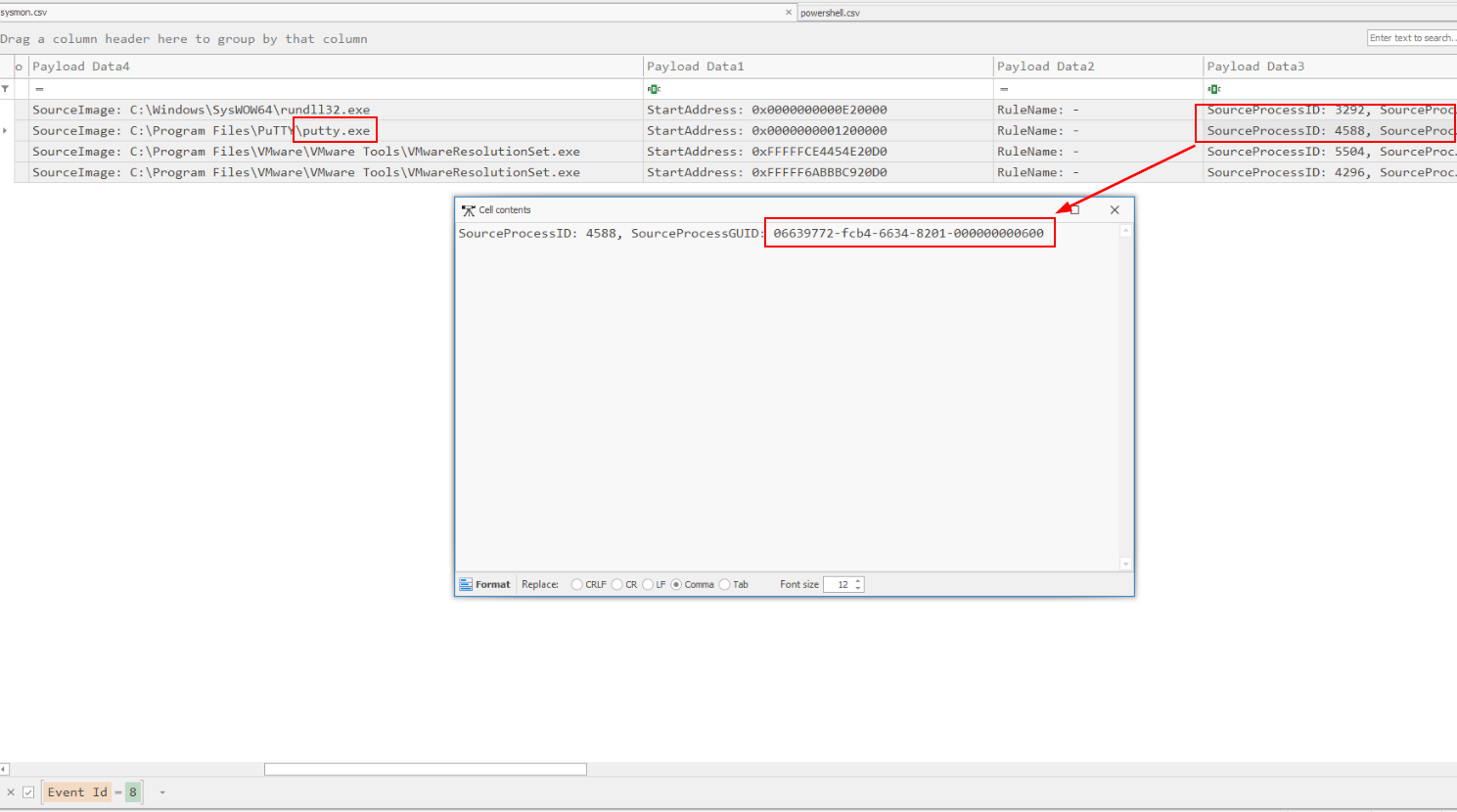 process migration by an attacker often involves creating a remote thread in the target process so I filtered for Event ID 8 (CreateRemoteThread) which we can see that
 putty.exe is the targeted process of migration from rundll32.exe.
Answer
putty.exe, 06639772-fcb4-6634-8201-000000000600Q3) Can you determine the IP address, port number, and the exact date and time the connection was established for the reverse shell associated with the previously identified program? (Format: IP:PORT, YYYY-MM-DD HH:MM:SS.mmm)
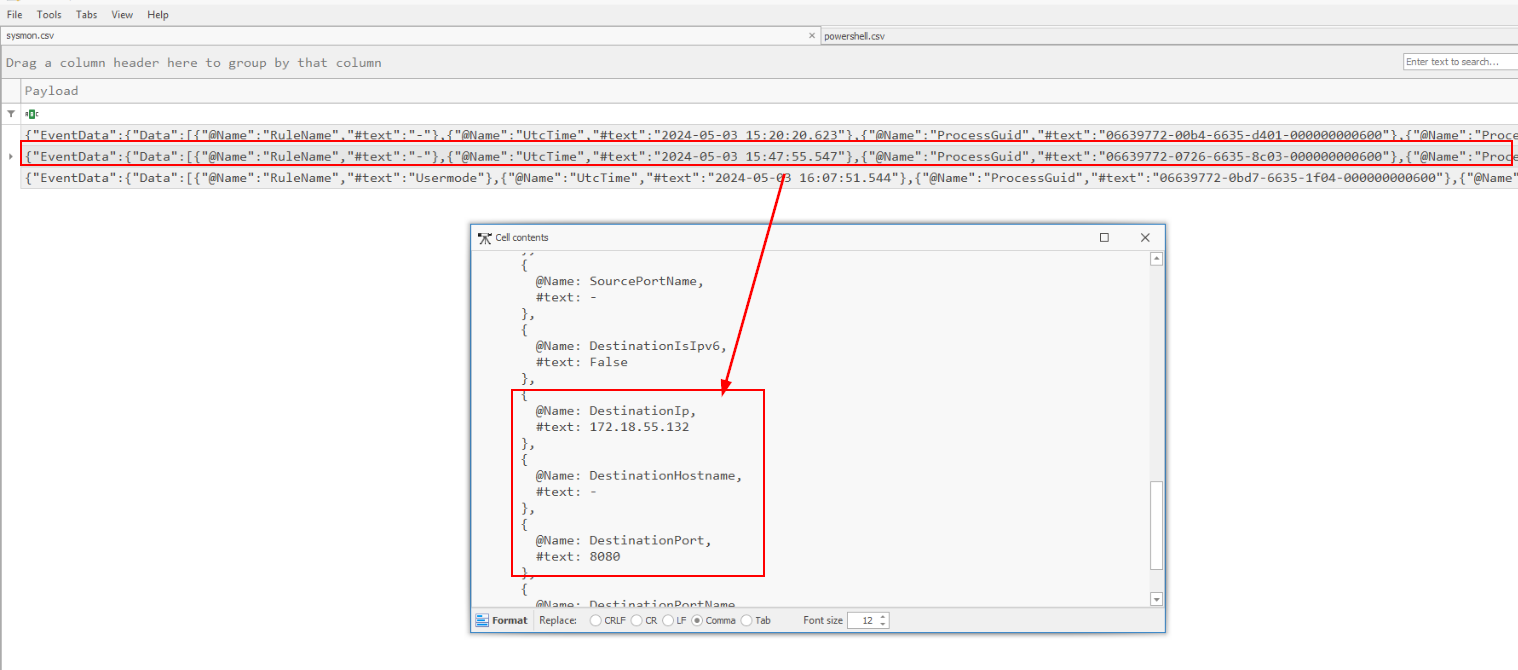 We know for the fact that reverse shell made a connection at 15:20:20:623 but somehow the port that was accepted as the answer of this question is port 8080 from 15:47:55:547
Answer
172.18.55.132:8080, 2024-05-03 15:20:20.623Q4) The attacker executed a specific command to collect information about Bob. Can you identify the exact command used by the attacker within this process? (Format: CommandLine)
Lets filter for Event ID 1 then find for cmd.exe and a command that should appear after that process should be the one we are looking for
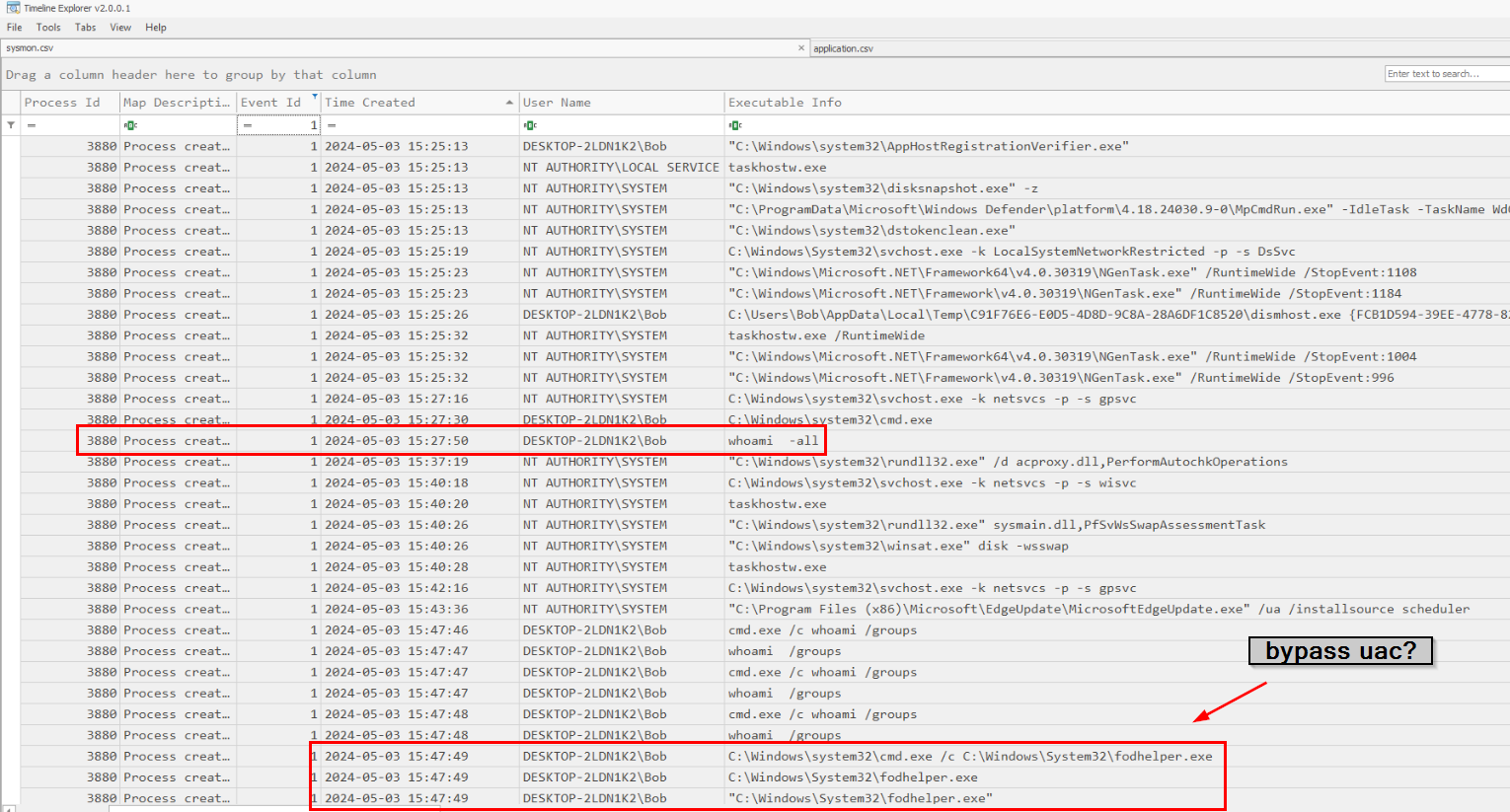 And as you can see that the attacker used several command to collect infomration about Bob but the first command that was executed is
 whoami -all and one thing I noticed is fodhelper which is an executable that can be used to bypass UAC so the attacker might execute command with elevated privilege by using this fodhelper .
Answer
whoami -allQ5) After gathering information about the victim, the attacker migrated to a different process. Can you identify the new process into which the attacker injected? (Format: process.exe)
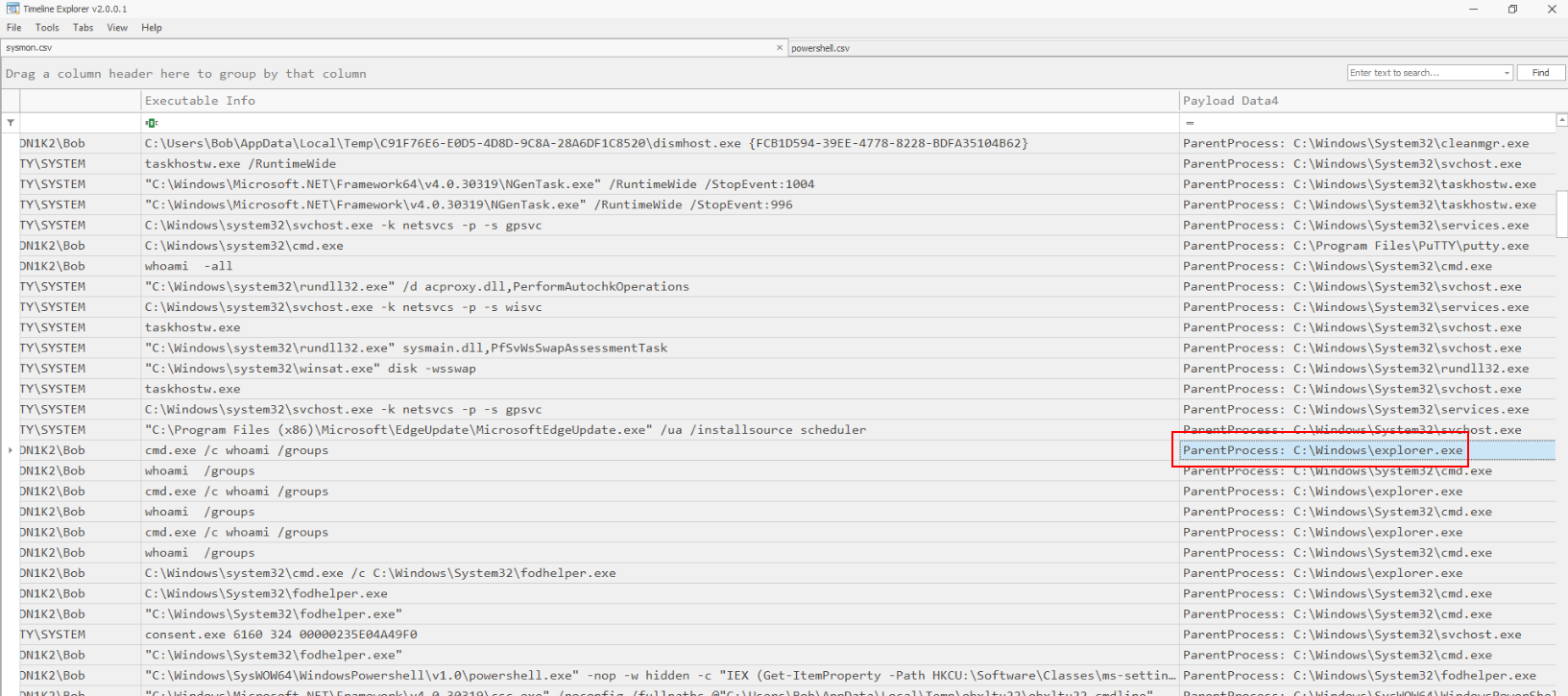 Notice that
 cmd.exe has explorer.exe as parent process and we know for a fact that Bob might not execute this command by himself then this has to be the process that was injected by the attacker.
Answer
explorer.exeQ6) The attacker bypassed Windows User Account Control (UAC) by altering a specific registry key. Could you provide the Security Identifier (SID) of the affected user account and the exact name of the registry key that the attacker modified? (Format: SID, Key name)
Earlier, we found that the attacker tried to use fodhelper so lets take a look at registry keys associated with this binary and could be used to bypass UAC
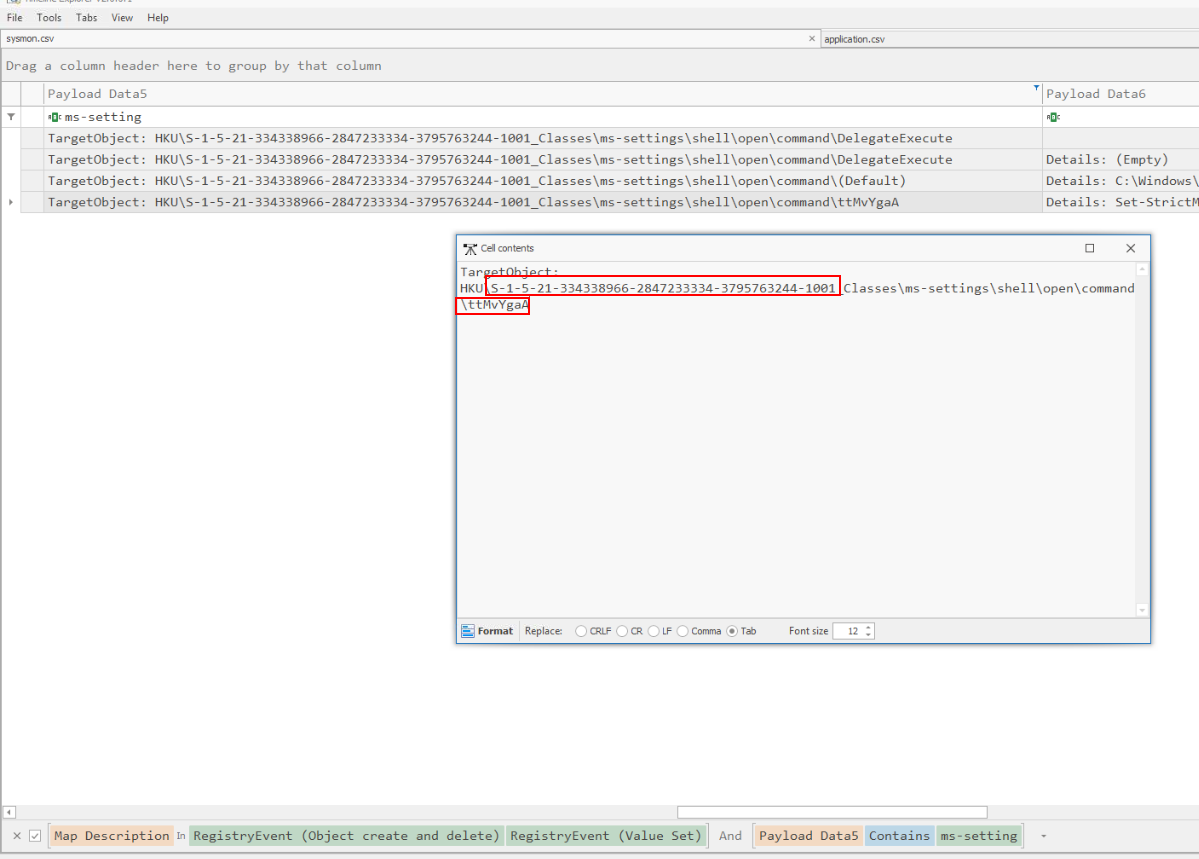
Filter for that registry key then we could see new key was created and we also get SID from here too.
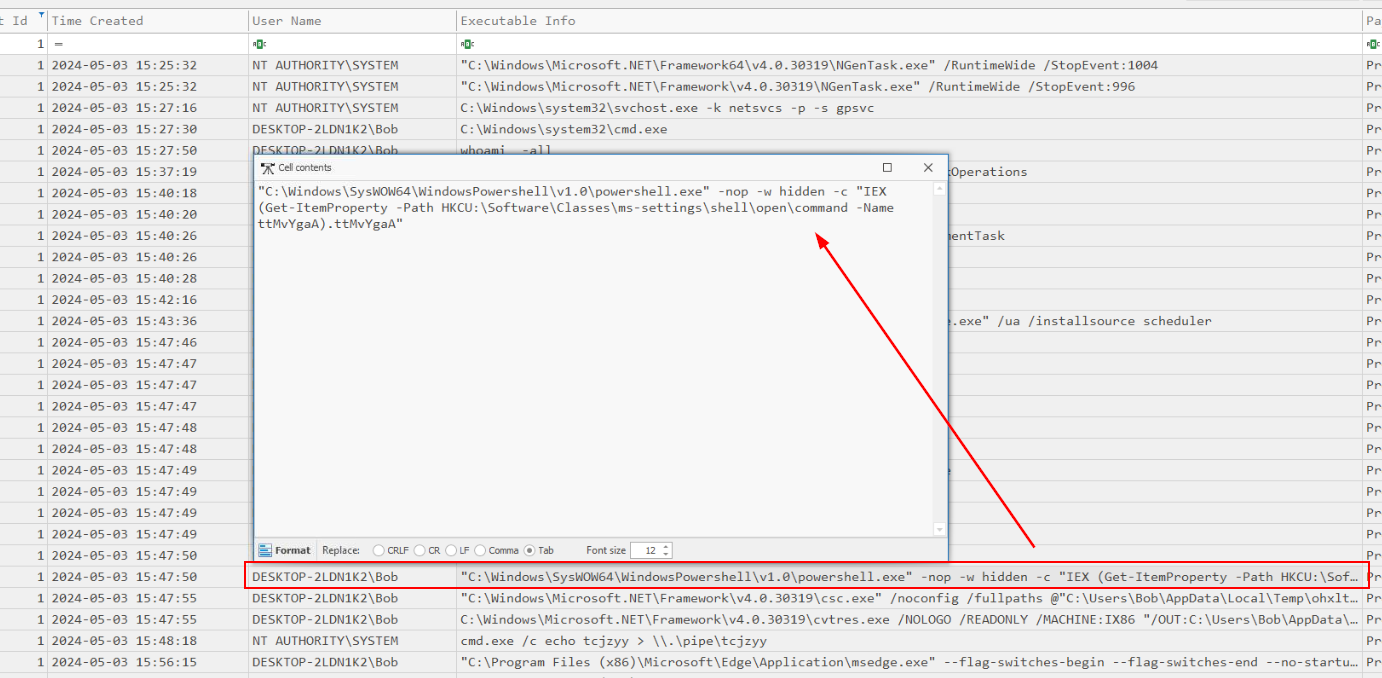 Go back to Event ID 1 then we can see which process responsible for this action (powershell)
Answer
S-1-5-21-334338966-2847233334-3795763244-1001, ttMvYgaAQ7) The attacker successfully escalated privileges using an impersonation technique. Can you identify the specific command that was executed during this process? (Format: Command)
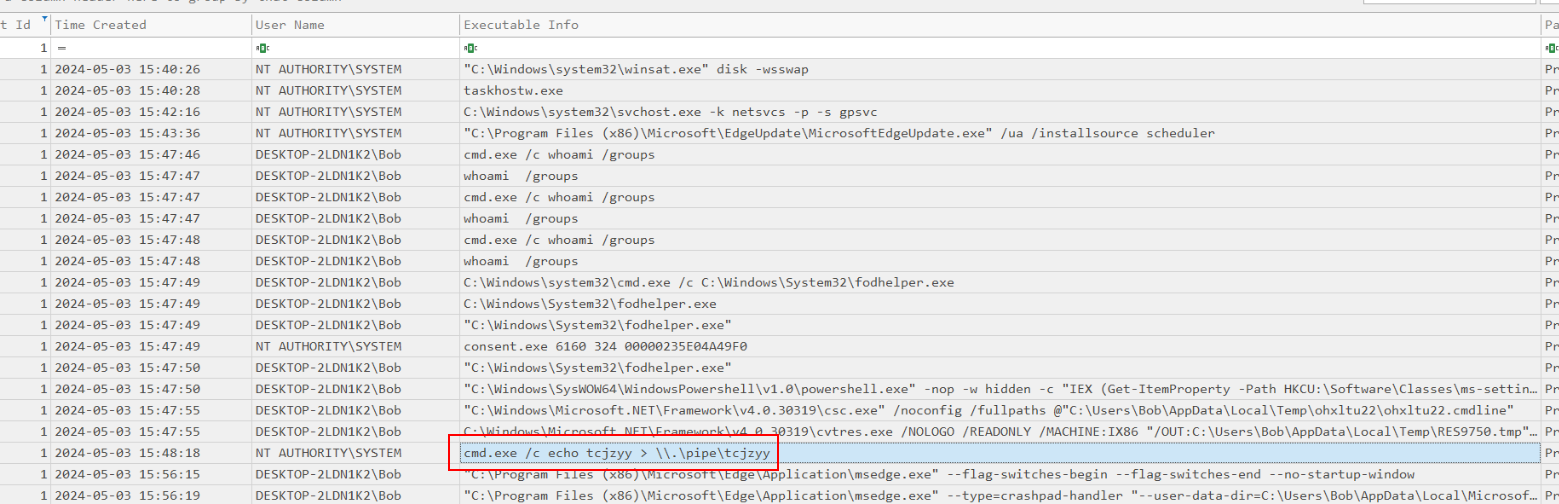 Then after bypassed UAC, the attacker finally executed this command as NT AUTHORITY\SYSTEM which is the highest privilege user on Windows.
Answer
cmd.exe /c echo tcjzyy > \\.\pipe\tcjzyyQ8) After successfully executing a privilege escalation attack, the attacker generated a script for a persistence mechanism and stored it in a designated location. Could you identify the name and the programming language of this script file? (Format: File Name, Programming Language)
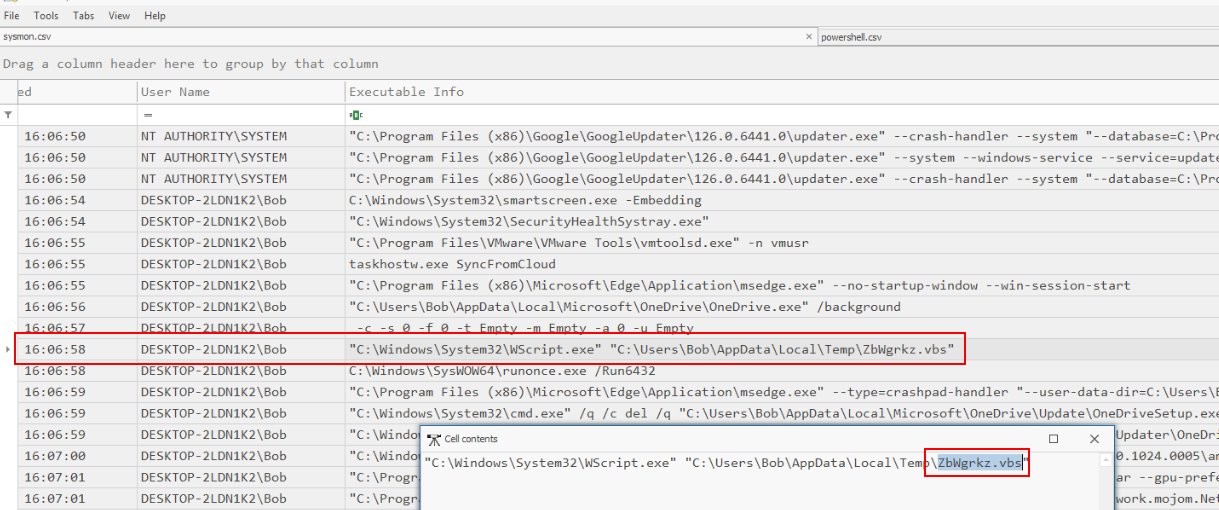 After scrolling for a while, I noticed suspicious vbs script was executed at the same time as
 runonce.exe which mean this script was set to run once user log in for one time so this has to be the script generated for a persistence mechanism by the attacker.
Answer
ZbWgrkz.vbs, VBScriptQ9) To establish persistence, the attacker modified a specific registry entry. Could you identify the name of the registry key that was created and altered? (Format: Key name)
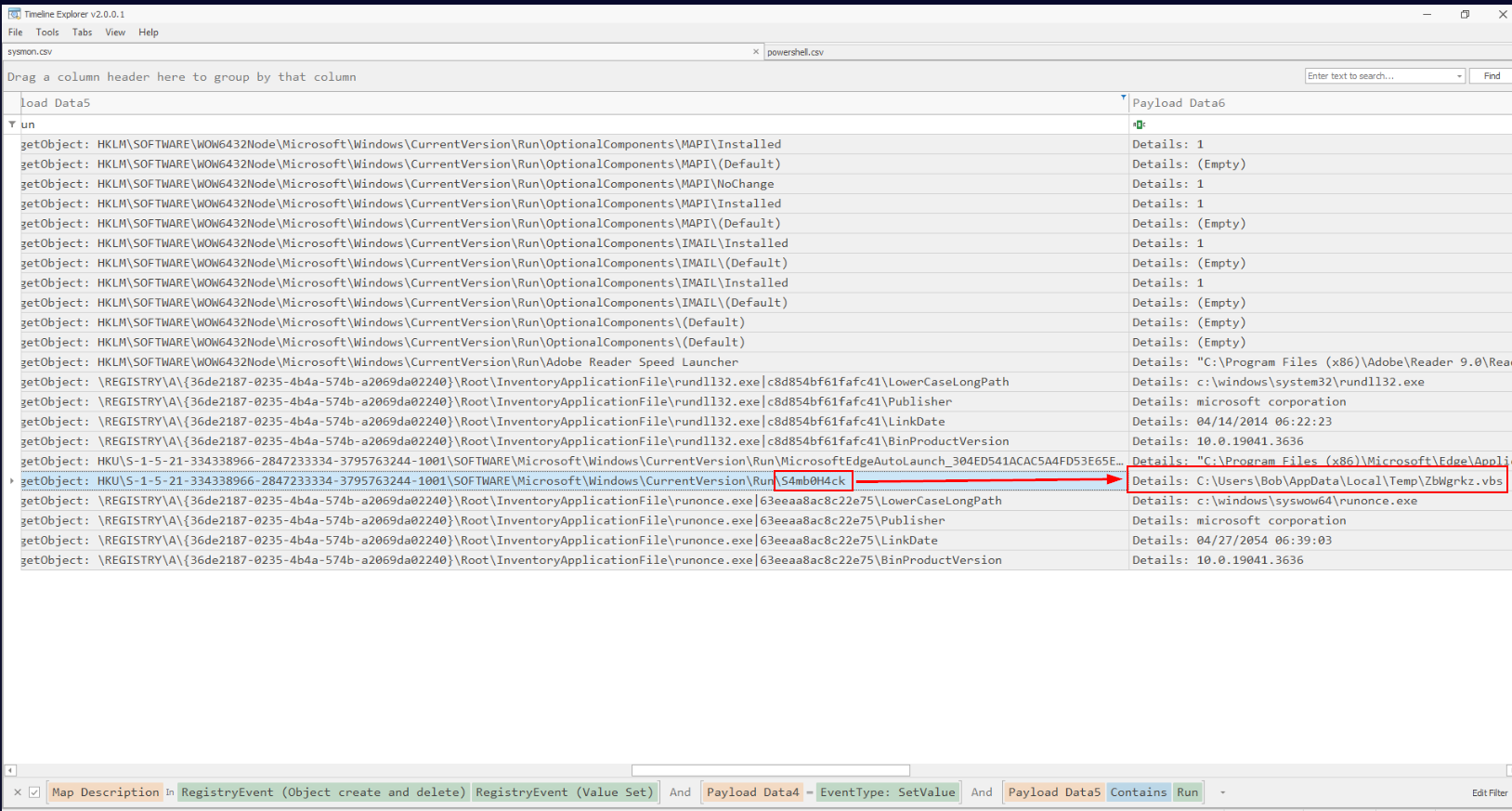 I tried to search for the popular run registry key which we can see that this registry key was set to execute persistence script we found from previous question.
Answer
S4mb0H4ckQ10) Once the attacker achieved persistence, an executable was dropped. This executable will create a reverse shell as soon as the system reboots and the user logs in. Locate the executable and determine its MD5 hash. (Format: File Name, MD5)
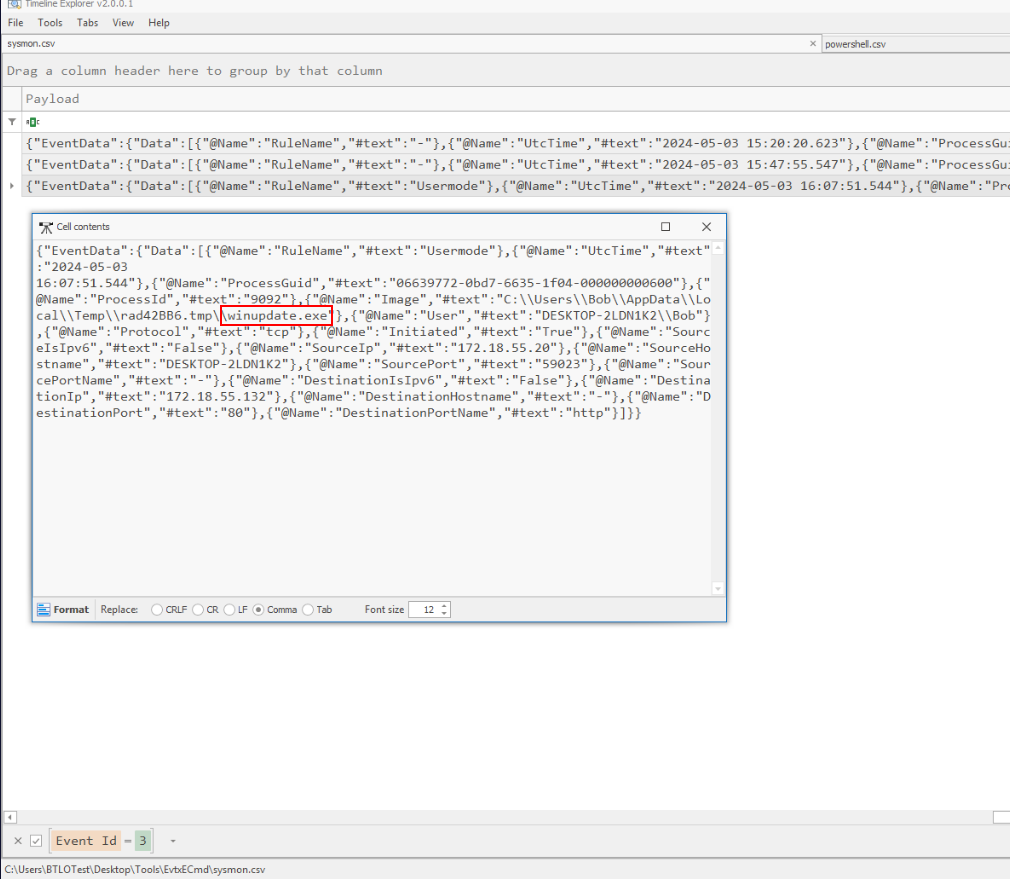
When talking about reverse shell and sysmon, I went back to the last event ID we did not check and found that this process established a connection to the attacker IP address so we found the executable so what we need is MD5 of this file.
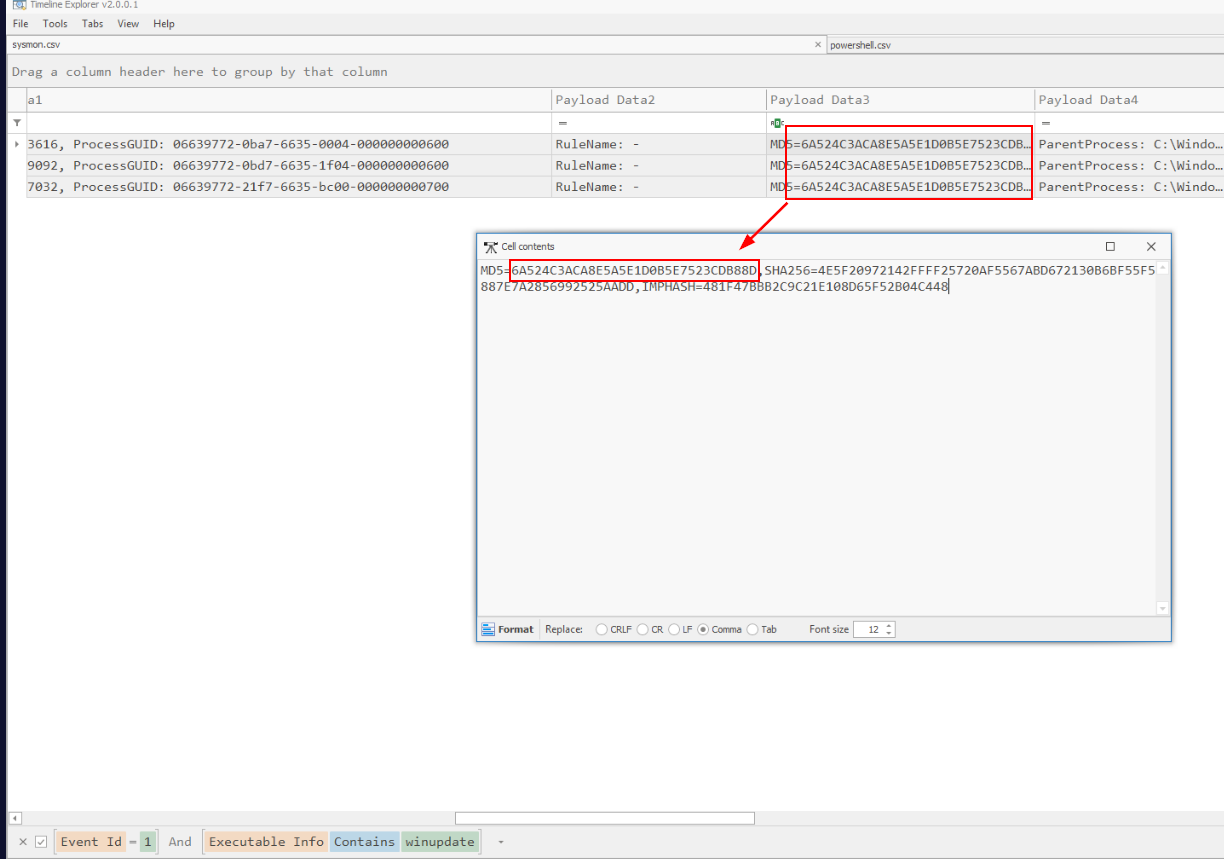 Which we could find that by filter for Event ID 1 and executable name then we should have MD5 of this executable right here.
Answer
winupdate.exe, 6A524C3ACA8E5A5E1D0B5E7523CDB88DWe completed the lab!
 https://blueteamlabs.online/achievement/share/52929/216